Learn / Lesson 2
How to format a phone call in a screenplay
There are three ways to write a phone call: stay with one side, put the other voice in V.O., or intercut between the two places. Here is the same call written all three ways, how each one looks on the page, and the one question that tells you which to use.
Chapters
- 0:00Three ways to write a phone call
- 0:14One side only
- 0:35The caller in V.O.
- 0:58Intercut
- 1:21Intercut in Scenarist
- 1:36All three on the page
- 1:50Which one to use
The same call, three ways
In the first lesson’s scene, Dead Air, the caller is only a voice on the phone. That was a choice, not a rule. How you write a call decides what the audience knows, and so how the scene plays.
To see the difference, take one call from a new short film, The Call. Ruth hosts a radio show in the middle of the night. A listener phones in, and he knows a little too much about her booth. Here it is written three ways:
- One side only: we hear Ruth, not him.
- The caller in V.O.: we hear both of them, and see only Ruth.
- Intercut: we see both of them.
1. One side only
We stay with Ruth, and we only hear her side. Write her lines like any other dialogue, with an action line between them to show she’s listening. We learn what the caller said only from how she answers.
Resist putting a (beat) before every line. The actor will find the pauses, and the page stays quick to read.
In Scenarist, when Ruth speaks again her name comes up in the suggestions, so you tap it instead of typing it.
Version 1 · One side only
INT. RADIO STATION - BOOTH - NIGHT
Line one blinks. Ruth takes it.
RUTH
You're on the air.
She listens. Her eyes drop to her coffee mug.
RUTH
How do you know where I keep it?
A click. The line goes dead.
2. The caller in V.O.
We stay with Ruth, but now we hear the caller too. He isn’t in the booth, so his name gets the extension (V.O.), for voice-over: his voice reaches the scene through the phone.
Not (O.S.). Off screen means the speaker is at the location, in the room with Ruth, just out of the shot. A man on the other end of a phone line isn’t.
And skip (ON PHONE) after his name. A reader can’t tell whether we’re meant to see him on the phone or only hear him through it, which is exactly the question the format should answer.
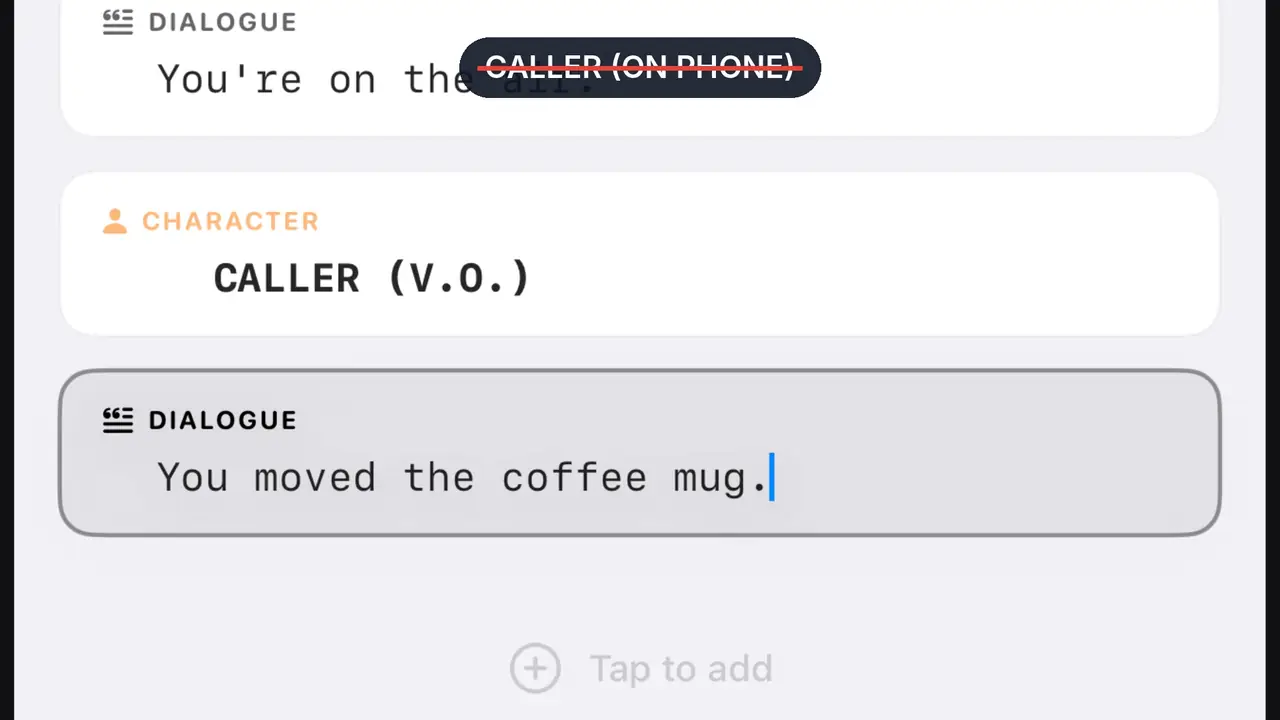
Version 2 · The caller in V.O.
INT. RADIO STATION - BOOTH - NIGHT
Line one blinks. Ruth takes it.
RUTH
You're on the air.
CALLER (V.O.)
You moved the coffee mug.
RUTH
How do you know where I keep it?
CALLER (V.O.)
I'm looking at it.
3. Intercut
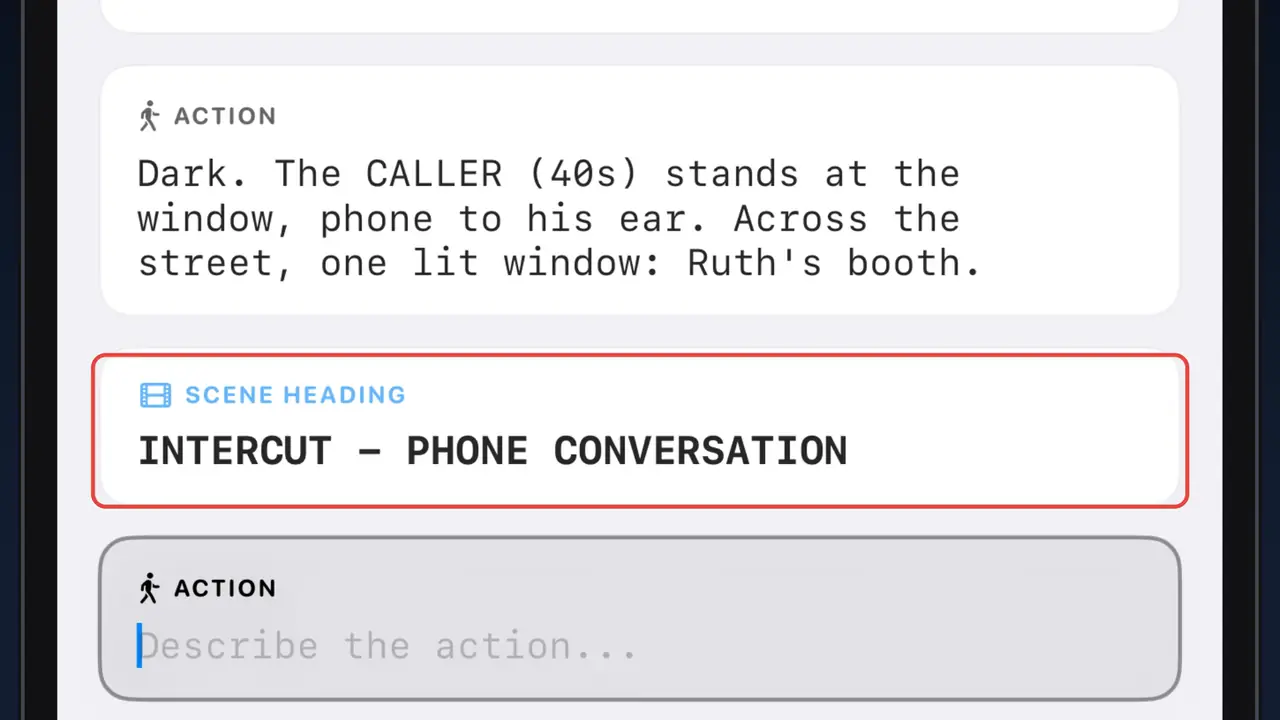
We see both of them. Write each location’s scene heading once: Ruth in the booth, then the caller in the apartment across the street. The call happens at the same moment in both places, so the second heading ends in SAME instead of a time of day.
Then one line, INTERCUT - PHONE CONVERSATION, and from there write the dialogue as if they shared a room. No V.O.: we can see both speakers. The editor cuts between the two places however the scene needs.
Version 3 · Intercut
INT. RADIO STATION - BOOTH - NIGHT
Line one blinks. Ruth takes it.
INT. APARTMENT ACROSS THE STREET - SAME
Dark. The CALLER (40s) stands at the window, phone to his ear. Across the street, one lit window: Ruth's booth.
INTERCUT - PHONE CONVERSATION
RUTH
You're on the air.
CALLER
You moved the coffee mug.
Ruth looks down at the mug. Across the street, he watches her do it.
RUTH
How do you know where I keep it?
CALLER
Look up.
Action still works inside an intercut, and one line can cover both places, like the one where Ruth looks down at her mug while he watches from across the street.
Intercut in Scenarist
In Scenarist the intercut line is a scene heading. Tap the SCENE chip above the keyboard and type it; lowercase is fine, because Return sets it in capitals. Then tap the CHAR chip, pick a name from the suggestions, and you’re back in the dialogue.
When the call is over, just start the next scene. END INTERCUT is optional: a new scene heading, or an action line like “She hangs up”, ends it.
Which one to use
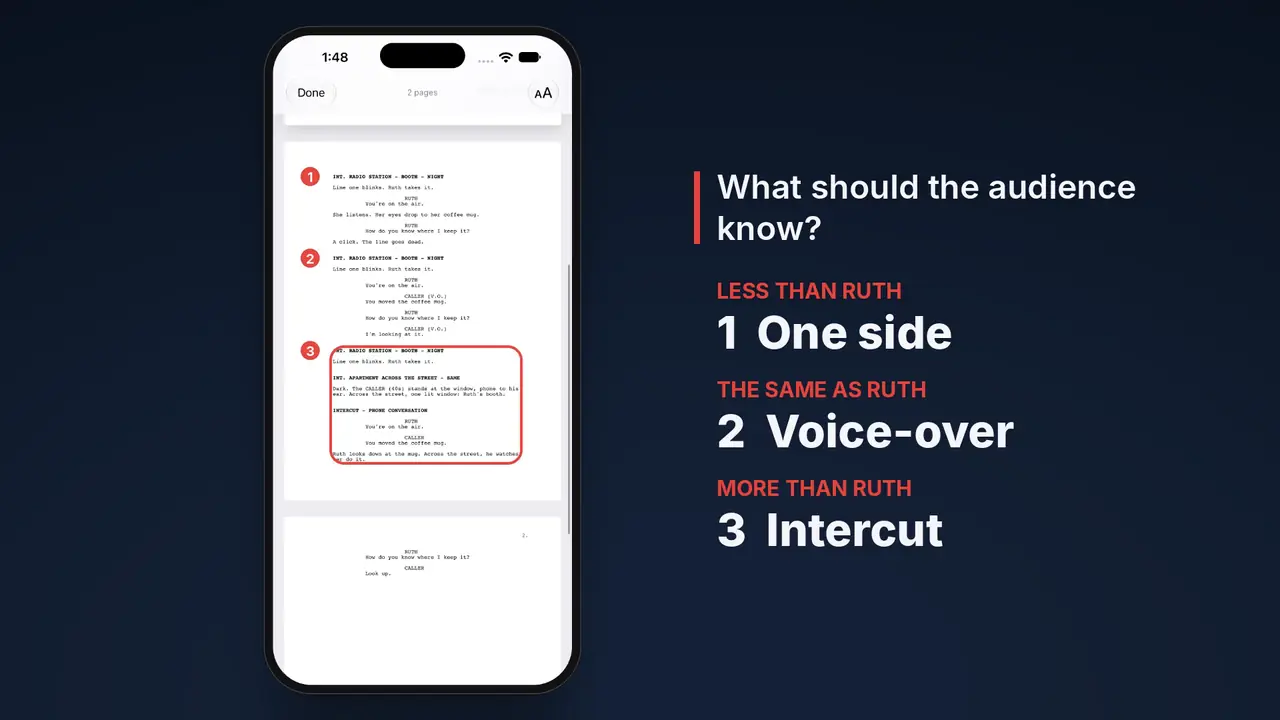
Put the three side by side and they are three different scenes. One keeps us guessing. One lets us listen in. And one shows us the man at the window, while Ruth has no idea we’ve seen him.
So before you write a call, ask one question: what should the audience know?
| The audience should know | Write the call as |
|---|---|
| Less than your character | One side only |
| The same as your character | The caller in V.O. |
| More than your character | Intercut |
Next: text messages
The next lesson is how to write a text message in a screenplay: the same question about what the audience knows, on a different screen. New lessons go up first on YouTube.
Related guides
The seven screenplay elements
Scene heading to shot, with character extensions like V.O. and O.S.
What is Fountain?
The plain-text screenplay format, and why it lasts.
Best iPhone screenwriting apps in 2026
Every app you can actually write a draft on, compared.
Write your own call
Scenarist sets scene headings, character extensions and intercuts as you type, on iPhone, iPad and Mac. Free to start, no account.
Get Scenarist