Learn / Lesson 1
How to write a screenplay on iPhone
A properly formatted screenplay page, written start to finish on a phone: scene headings, action, characters and dialogue, parentheticals, voice-over, dual dialogue and transitions. Then the pages, a read-through and the export.
Chapters
- 0:00A screenplay page, written on iPhone
- 0:18Start a new script
- 0:42Scene headings
- 1:06Action
- 1:24Characters and dialogue
- 1:36Parentheticals
- 1:53V.O. and O.S.
- 2:14Dual dialogue
- 2:31Transitions
- 2:49See the pages
- 3:02Outline and index cards
- 3:15Hear it read aloud
- 3:27Export and sync
- 3:42Wrap-up
Start a new script
The app in the video is Scenarist, free on the App Store. Tap the + button, choose New Script and give it a title. Ours is Dead Air, a one-page short set in a radio station at three in the morning.
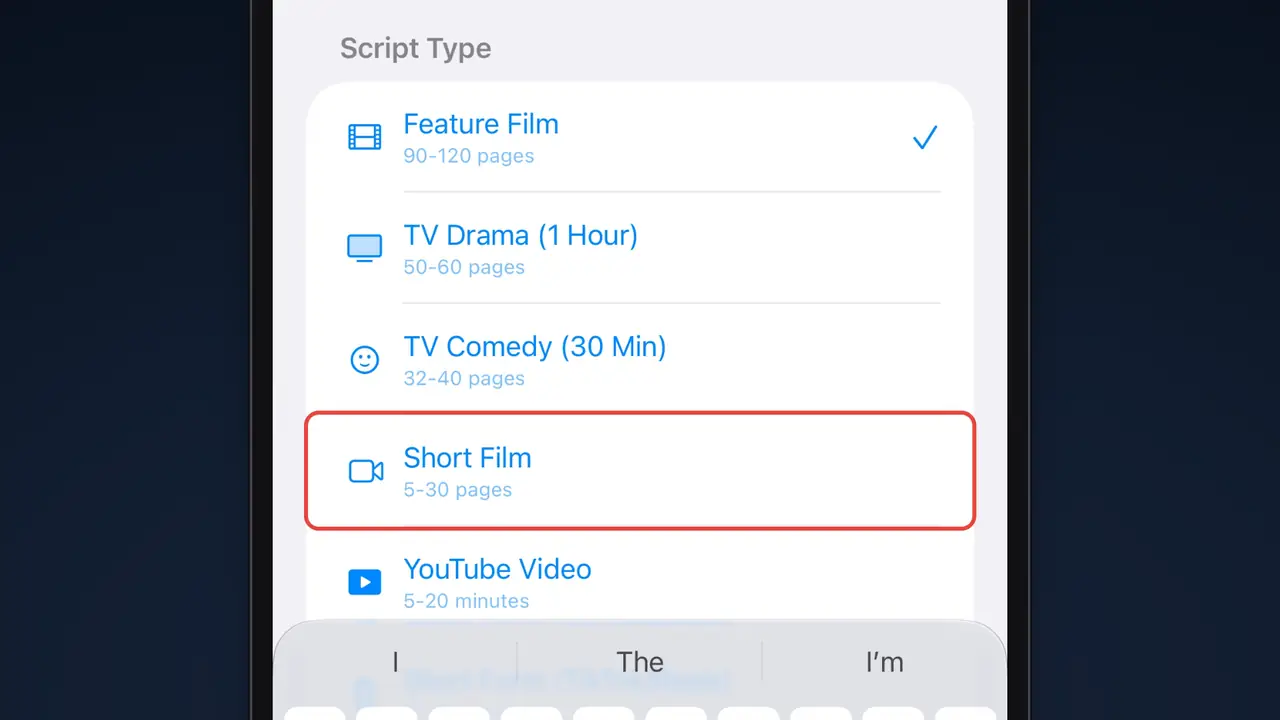
Then pick a format: feature film, one-hour TV drama, half-hour TV comedy or short film, plus scripts for YouTube and for short vertical video. Each one shows its usual length, from 90 to 120 pages for a feature down to 5 to 30 for a short. We’re writing a short film, from a blank script.
Scene headings
Every scene starts with a scene heading, also called a slugline. It answers three questions: inside or outside, where, and when.
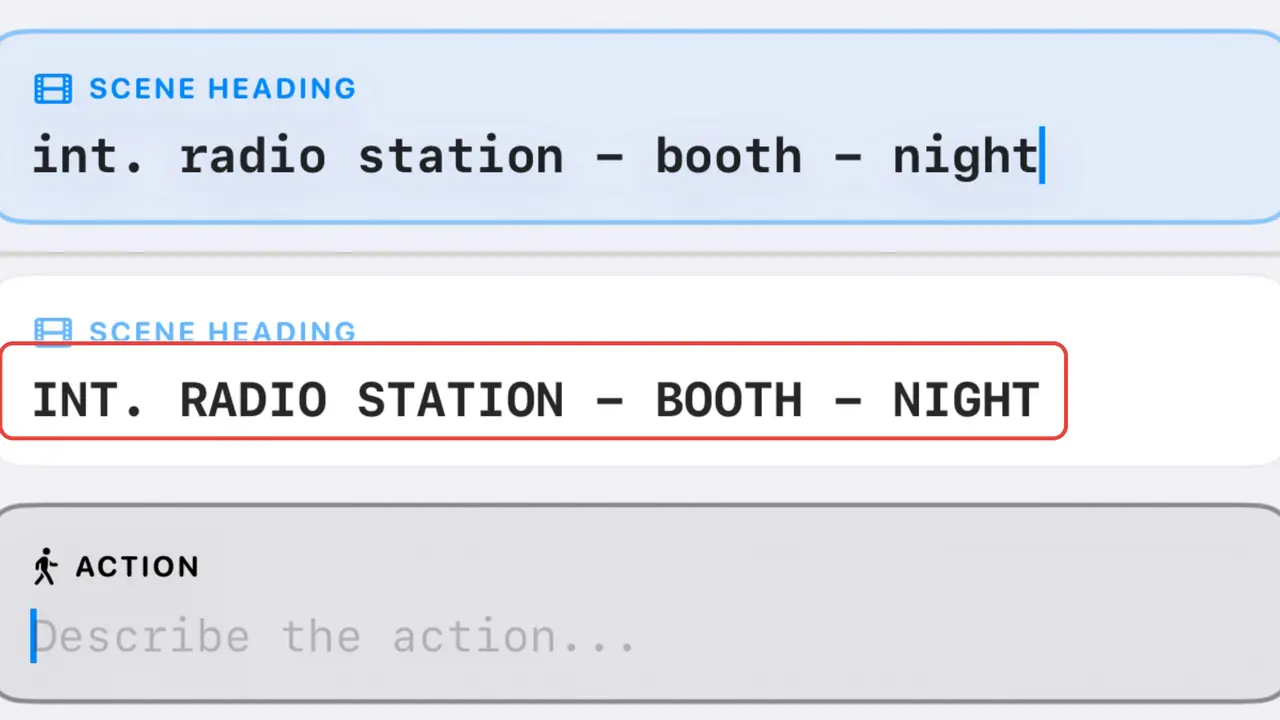
INT. RADIO STATION - BOOTH - NIGHT
INT. for interior or EXT. for exterior, then the place, then the time of day, usually DAY or NIGHT. Use the same name for a place every time you come back to it.
You don’t have to think about capitals or spacing. Type the heading in lowercase, press Return, and Scenarist sets it.
Action
Press Return after the heading and you’re on an action line. Action is what we see and hear, in the present tense. Keep paragraphs to three or four lines so the page reads fast; for a new paragraph, press Return twice.
The first time a character appears, put their name in capitals, with an age if it helps:
RUTH CALLOWAY (50s), headphones around her neck, nudges a fader up.
Characters, dialogue and parentheticals
After an action line, press Return and Scenarist expects a character. Type the name, press Return again, and you’re writing dialogue, already set in its narrow column in the middle of the page. The next time someone speaks, their name comes up as a suggestion: tap it, or keep typing.
A parenthetical is a short note under the name about how a line is said, like (into the mic). Tap the PAREN chip above the keyboard and type it; the parentheses go in on their own. Use them sparingly. If an actor could play the line without the note, cut the note.
V.O., O.S. and dual dialogue
Ruth’s caller is only a voice on the phone, so his name gets an extension: CALLER (V.O.), for voice-over. V.O. is a voice coming through a phone or a radio, or narration. (O.S.), for off screen, is for someone who is in the scene but out of shot. Lesson 2 takes the phone call further.
When two characters speak at the same moment, use dual dialogue: two columns, side by side. Open the More menu, choose Dual Dialogue and fill in both sides.
Transitions
Transitions like CUT TO: and FADE OUT. sit on the right edge of the page. Use one when the cut itself means something; a new scene heading already implies a cut. Tap the TRANS chip and type it, and Return takes you straight to the next scene heading.
See the pages, then hear them
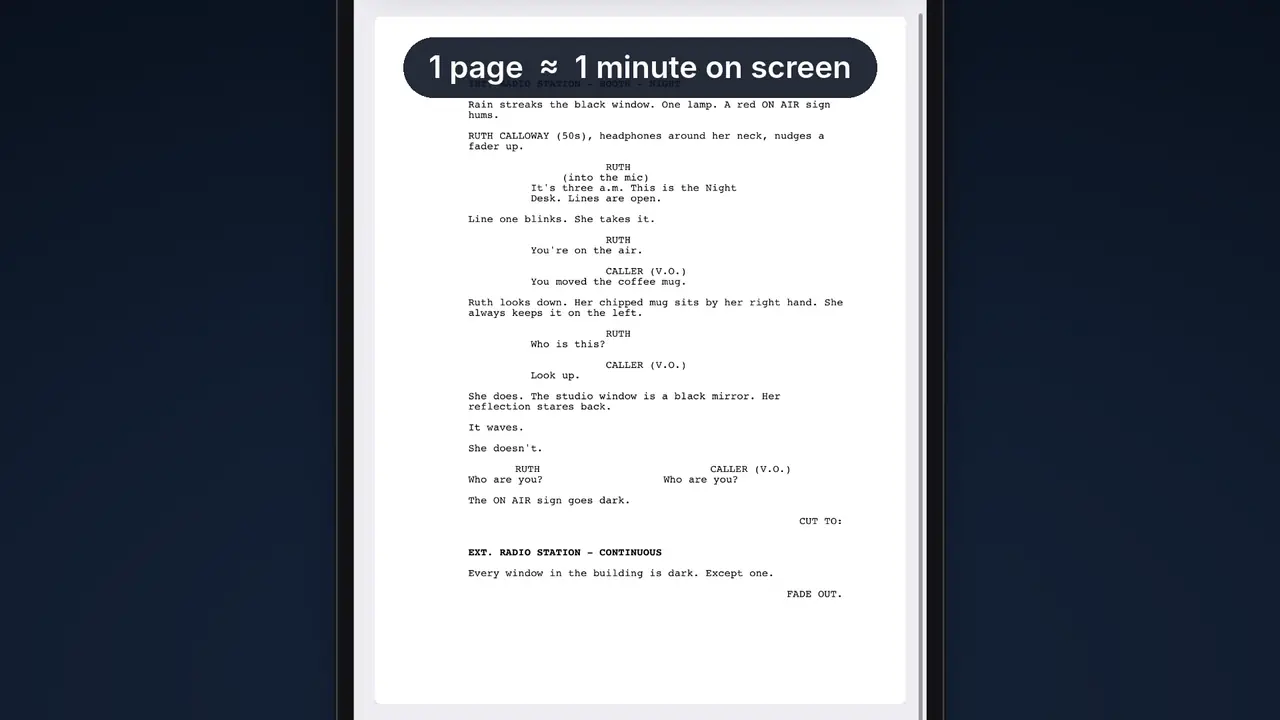
Script Preview shows your actual pages, in Courier, with standard margins and page numbers, exactly as they will print. As a rule of thumb, one page is about one minute on screen.
Longer scripts are easy to get around. The outline lists every scene; tap one to jump there. Index cards turn each scene into a card you can read at a glance and drag into a new order.
Before you send a draft anywhere, listen to it. Read Aloud plays the script back line by line. With Table Read, every character gets a voice of their own, and you can mute a part to read it yourself.
Script Preview, index cards and Table Read are part of Scenarist Pro. The outline and Read Aloud are free.
Export and sync
When it’s ready to share, export a PDF, a Fountain file that opens in other screenwriting apps, or a Final Draft file to keep going on a computer. With iCloud sync on, the same scripts are on your iPad and your Mac.
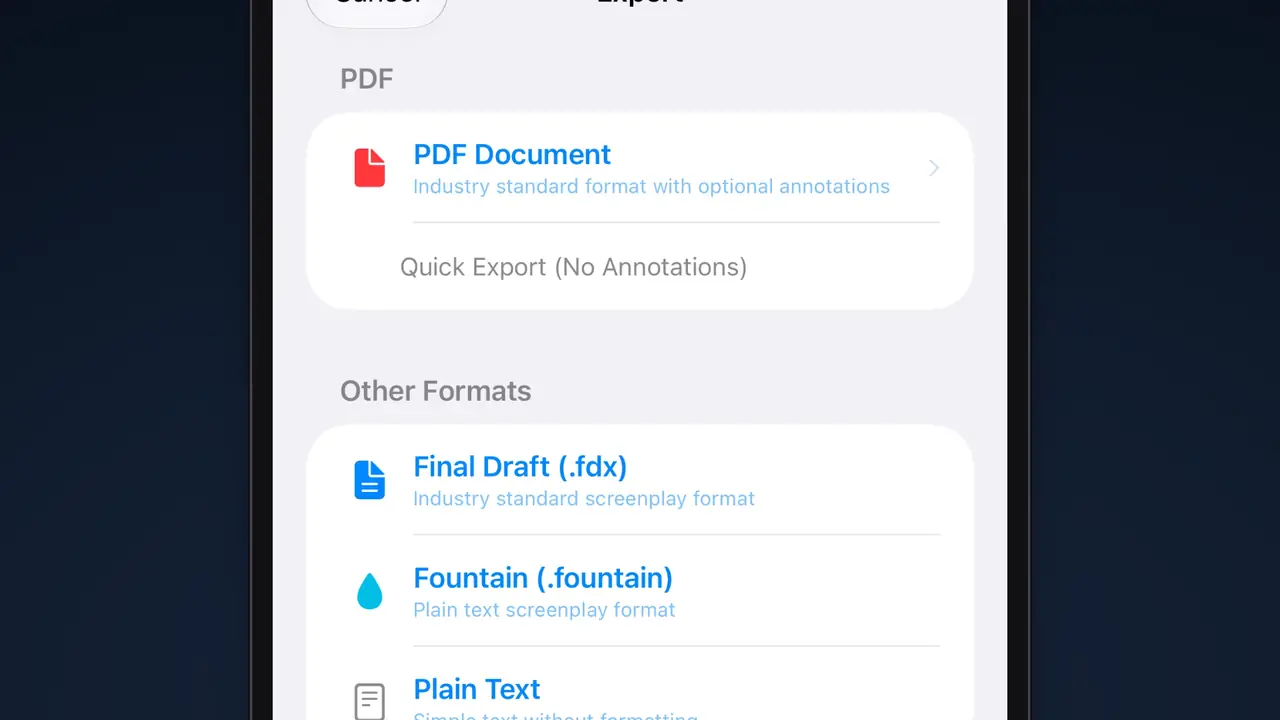
PDF and Fountain export are free; free PDFs carry a small “Written with Scenarist” line at the foot of each page. Final Draft export is part of Pro.
The page we wrote
Here is Dead Air, the scene from the video, set the way it prints. It’s one page, and it uses every element: a scene heading, action, a character introduction, a parenthetical, dialogue, voice-over, dual dialogue and two transitions.
INT. RADIO STATION - BOOTH - NIGHT
Rain streaks the black window. One lamp. A red ON AIR sign hums.
RUTH CALLOWAY (50s), headphones around her neck, nudges a fader up.
RUTH
(into the mic)
It's three a.m. This is the Night Desk. Lines are open.
Line one blinks. She takes it.
RUTH
You're on the air.
CALLER (V.O.)
You moved the coffee mug.
Ruth looks down. Her chipped mug sits by her right hand. She always keeps it on the left.
RUTH
Who is this?
CALLER (V.O.)
Look up.
She does. The studio window is a black mirror. Her reflection stares back.
It waves.
She doesn't.
RUTH
Who are you?
CALLER (V.O.)
Who are you?
The ON AIR sign goes dark.
CUT TO:
EXT. RADIO STATION - CONTINUOUS
Every window in the building is dark. Except one.
FADE OUT.
Next lesson
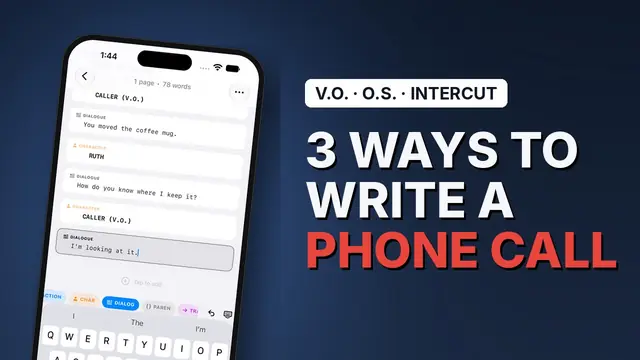
The caller in Dead Air is only a voice. That’s one of three ways to write a phone call, and the next lesson writes the same call all three ways.
Related guides
The seven screenplay elements
What each part of the page is for and how it is set.
What is Fountain?
The plain-text screenplay format, and why it outlives your software.
Best iPhone screenwriting apps in 2026
Every app you can actually write a draft on, compared.
Write your first page
Scenarist formats every element as you type, on iPhone, iPad and Mac. Free to start, no account.
Get Scenarist